Audio Precision Notebook

Separate Clip-Level Fixes from Mix Decisions.

Explore audio cases about clip differences, local gain changes, performance consistency, edit context, and later automation.

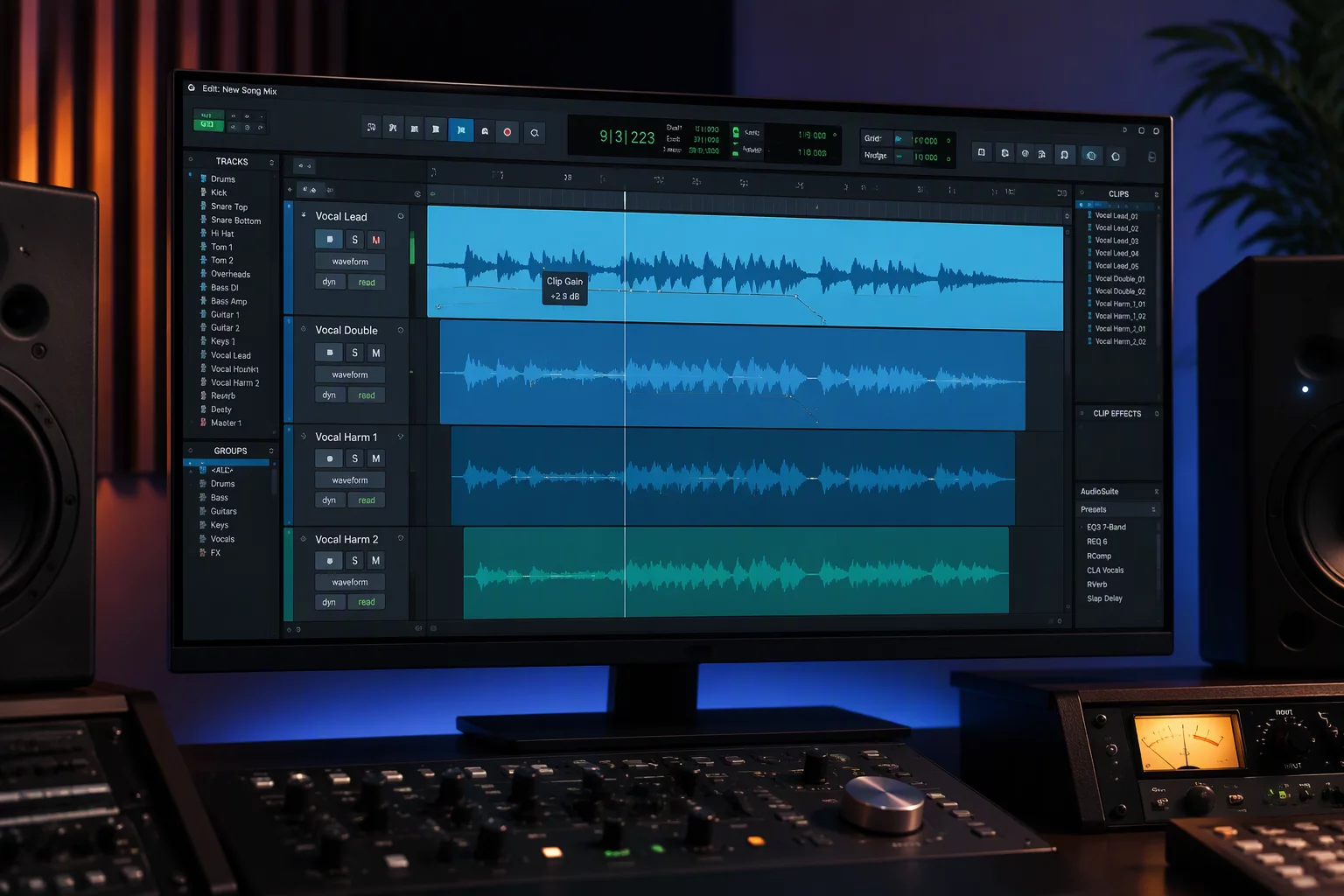
Digital audio workstation clip gain interface and waveform timeline
Gain Staging In Action
Editorial Architecture

Audio case studies and gain decisions

Mastering dialogue level editing requires knowing precisely where source gain stops and mix bus automation takes over. Explore foundational scenarios encountered in real-world post-production sessions.

Case 01

Clip Level Cases

Isolating localized peak surges and micro-level anomalies before hitting channel plugin inserts. Calibrating pre-fader headroom prevents unintentional compressor pumping down the processing chain.

Source Staging
Case 02

Dialogue Differences

Leveling distinct microphone patterns, room acoustic signatures, and proximity differences across alternating takes. Crucial for transparent dialogue level editing between boom and lavalier recordings.

ADR & Production
Case 03

Vocal Phrase Cases

Correcting sudden consonant spikes and dropped vowel endings on an individual phrase scale, retaining natural performance dynamics without cluttering track automation lines.

Phrase Balancing
Case 04

Field Recording Cases

Taming wild exterior background fluctuations, air surges, and handling noise at the clip level prior to establishing consistent environmental bed balances.

Ambience Trimming
Case 05

Clip vs Track Decisions

Determining whether a level intervention belongs inside the non-destructive clip envelope or on the track volume lane when balancing macro mix context.

Decision Matrix
Case 06

Crossfade Context

Analyzing how pre-clip gain modifications alter equal-power crossfade boundaries, preventing unexpected level dips or clicks across edit boundaries.

Edit Boundaries
Case 07

Automation Handoffs

Passing clean, calibrated clip stems over to mixer faders without driving motor lanes into radical compensation curves during final pass playback.

Fader Handoff
Technical Archive

In-Depth Case Studies

Delve into detailed step-by-step DAW walkthroughs, phase calibration references, and gain staging articles.

DAW Architecture Comparison

Evaluating Pro Tools clip gain alongside track automation

In modern signal paths, deciding between clip-level attenuation and downstream track automation defines how pre-fader dynamics and crossfades respond across entire editing sessions.

Pro Tools 2026.4.1 EngineClip Range: -144 dB to +36.0 dB
Local Waveform Fragment InspectionLocal Gain: -4.8 dB
Target Clip: -4.8 dB
Pre-Insert StageBoundary LockedEdit Follows Clip Body

Local Level Independence

With Pro Tools clip gain, local volume adjustments happen before insert effects and prior to mixer automation. The sound wave redraws in real time across the range from -144 dB to +36.0 dB, letting you calibrate transient anomalies without altering fader curves.

  • Moves seamlessly with raw media splits
  • Preserves insert compressor threshold consistency
  • Reversible without touching channel track faders
Post-Processing Automation GraphFader Offset: +1.5 dB
Fader Automation: +1.5 dB
Post-Insert StageTimeline BoundSubject to Automation Trim

Downstream Balance Architecture

Track volume automation governs the output fader position after all EQ, dynamics, and time-based plugins. While automation handles performance dynamics across the global timeline, using it for syllable-by-syllable fixes risks altering crossfade envelopes downstream.

  • Governs master and group bus feeding
  • Post-insert compression behavior
  • Tied directly to session timeline timecode
Methodology & Workflow

From raw clip ingest to balanced mix stems

Our standardized non-destructive pipeline addresses microphone level mismatches and crossfade friction at the clip stage before faders or bus processors are engaged.

01

Session Audit & Gain Review

We analyze incoming dialogue, Foley, and vocal assets to identify clip-to-clip dynamic anomalies, inconsistent preamps, and clipped peak transients.

02

Clip Gain Equalization

We isolate erratic syllables and microphone jumps at the region boundary. Local gain adjustments are applied directly to the clip data prior to insert processing.

03

Crossfade & Boundary Shaping

Every splice point is audited for room-tone consistency and transient clicks. Slopes and equal-power crossfades are aligned without masking natural room breath.

04

Automation Hand-Off & Stems

Your mixing engineers receive clean, headroom-safe timelines with neutral faders at unity, ready for macro dynamic automation and final mastering polish.

Platform Architecture

Precision tools and calibrated systems

Every decision between clip gain adjustments and downstream automation relies on transparent gain-staging engines, sub-frame edit resolution, and certified monitoring environments.

Pre-Fader Core

Pro Tools Clip Gain Engine

Resolution:0.1 dB steps / 32-bit float

Provides static clip trims and dynamic breakpoint envelopes directly applied to source files before insert dynamics, keeping vocal chains in their linear transfer zone.

Non-destructiveCoalesce-readySub-frame
Spectral Surgery

iZotope RX Advanced Suite

Processing:FFT Spectral Attenuation

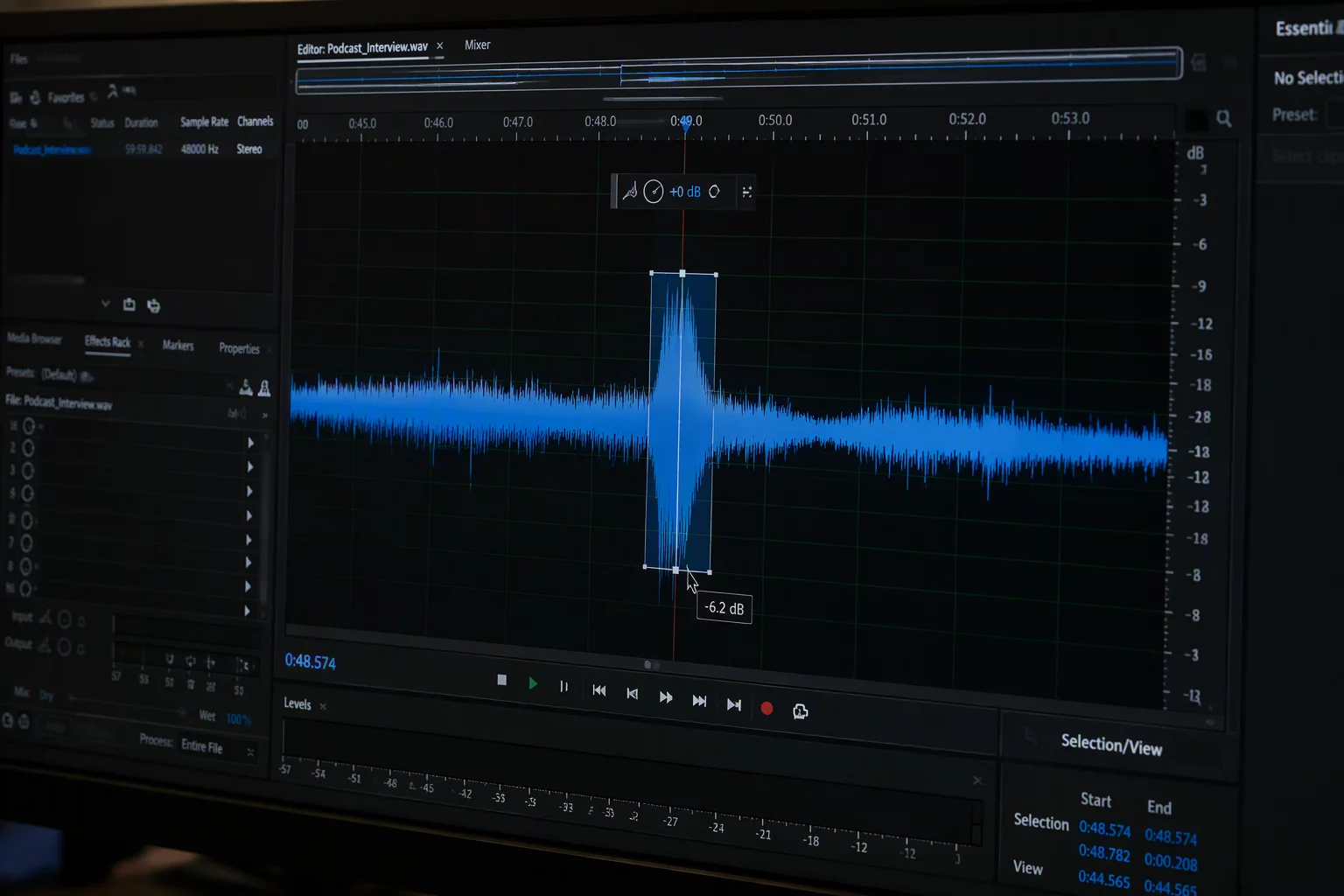
Isolates plosives, excessive mouth noise, and transient spikes at the waveform level to prevent premature compressor pumping downstream in the dialogue chain.

Spectral RepairDe-clickDe-plosive
Loudness Ballistics

NUGEN VisLM & True Peak

Standards:ITU-R BS.1770-4 / EBU R128

Provides integrated, momentary, and short-term loudness logging alongside 4x inter-sample peak detection for uncompromising delivery compliance across mix revisions.

LUFS / LKFSMax True PeakLRA History
Linear Gain Trim

FabFilter Pro-G & Volcano Trimmers

Topology:Bit-transparent attenuation

Precision clean trimmers designed for gain balancing across stem buses when global calibration shifts are required alongside granular clip level matching.

Zero-latencyLinear phaseOversampling
Acoustic Alignment

Genelec Smart Active Monitors

Environment:GLM 4.2 AutoCal DSP

Phase-coherent point source monitoring tuned to eliminate room boundary reflections, guaranteeing that micro-edits and crossfade seams reflect true acoustic conditions.

Coaxial DSPCalibrated SPLPhase Aligned
Tactile Controller

Avid S1 & EuCon Automation

Protocol:High-speed EuCon 1024-step

Motorized 100mm faders allowing immediate tactile comparison between pre-clip gain balance and dynamic trim automation writing without mouse latency.

Touch sensitiveTrim & TouchOLED meters
Empirical Workflow Results

Measurable acoustic stability through clip gain engineering

Documented engineering outcomes highlighting dynamic headroom retention, compressor linearity, and consistent seam crossfades achieved prior to fader automation.

Documented Audit: Feature Film Post-Production Stem Balancing

+4.8 dB Preserved Pre-Insert Headroom
Dialogue Conformance -24 LUFS Targeted

Linear dynamic range across erratic boom takes

By attenuating transient vocal bursts natively on clip boundaries rather than engaging extreme brickwall limiters, production masters preserved natural air tone without audible compression artefacts.

Compressor Pumping: 0.0% Detected
Subsequent Automation: -58% Node Count
ADR Alignment 1,420 Audio Clips

Seam crossfade energy preservation in multi-mic stems

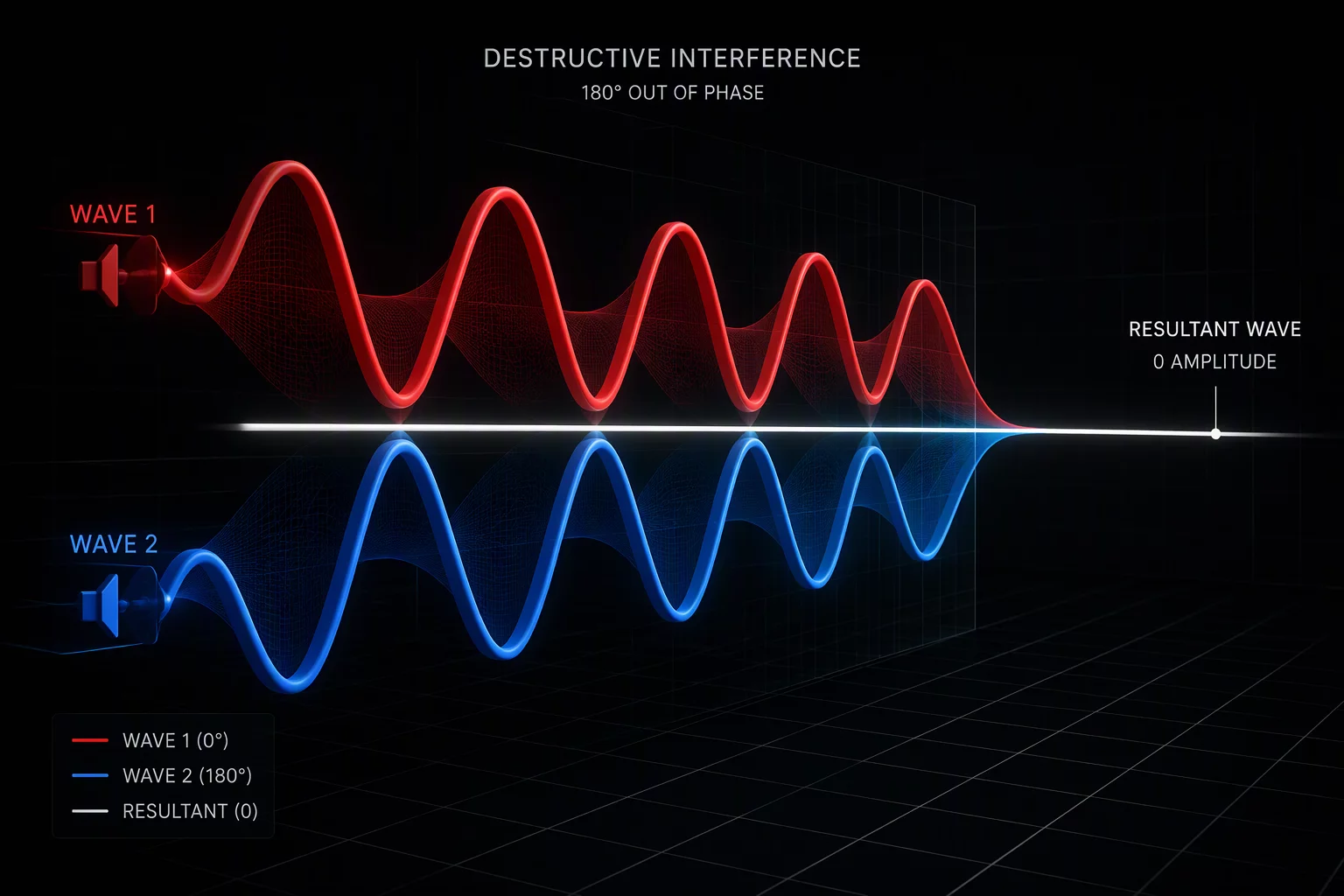
Trimming pre-crossfade micro-gains directly on incoming audio handles resolved phase smearing across disparate capsules, keeping room tone floors identical through batch exports.

Phase Cancellation: 0 Phase Dips
Export Conformance: 100% Phase Coherence
Lead Vocal Staging Analog Emulation

Harmonic saturation stability in pre-insert stages

Manual 3 dB phrase adjustments before vintage hardware saturation chains prevented unwanted inter-modulation fuzz, ensuring preamp models operated strictly within optimal saturation sweet spots.

Harmonic Distortion: -72% Odd Harmonics
Bus Clarity Index: +3.4 dB Usable Gain
Workflow Audit

Fader Fighting vs Clip Gain Mastery

Fixing loudness spikes with track faders ruins plugin gain staging and clutters mix automation. Here is why precision clip trim changes everything.

Current Friction

Over-Automating Unbalanced Audio

When vocal phrases or dialogue clips have unchecked dynamic variations before hitting your insert chain, every plugin downstream suffers.

  • Compressor Pumping and Distortion

    A single loud syllable pulls down entire vocal lines, creating unnatural pumping and squashed transients.

  • Brittle Splices and Crossfade Jumps

    Different room tones and mic preamps jump in volume at edit points, making smooth crossfades impossible.

  • Frozen Faders Locked by Automation

    Micro-riding automation curves locks track faders, turning broad balance adjustments into tedious re-trimming.

Engineered Clarity

Surgical Pre-Fader Gain Architecture

Leveling sound directly on the clip waveform normalizes incoming audio energy before reaching your plugin chain or mixer faders.

  • Transparent Dynamics Processing

    Compressors and limiters react evenly across whole performances without sudden threshold overshoots.

  • Seamless Splice Points and Clean Room Tone

    Targeted gain offsets neutralize background energy shifts prior to crossfading, yielding transparent edits.

  • Clean Mix Faders Dedicated to Musical Balance

    Track faders stay liberated for macro expression, arrangement balance, and overall session cohesion.

Ready to standardize gain staging across your dialogue and music projects?

Editorial Notebook

Practical field guides for clip gain precision

Compare destructive automation pitfalls against granular clip-level calibration across multi-track dialogue and lead vocal workflows.